On this page
OverviewBest WooCommerce Upsell PluginsBenefits of WooCommerce Upselling PluginsWooCommerce Upselling Techniques That Will Get You More SalesWrap-UpOverview
The cheapest revenue you’ll ever earn comes from customers already buying: a well-placed ‘frequently bought together’, an order bump at checkout, or a one-click post-purchase offer. Upsell and cross-sell plugins automate these moments — here are the best options for WooCommerce in 2026.
Upselling is one of the most effective techniques that business owners can use to increase their sales. Through upselling, you can recommend customers a premium or upgraded version of the product they have selected. It also helps improve customer satisfaction and convert them into loyal customers.
Best WooCommerce Upsell Plugins
This list was re-checked in August 2026 — we removed Beeketing, which shut down its WooCommerce apps, and reordered the rest. Newer conversion suites like UpsellWP and FunnelKit’s order bumps are also worth a look. There are many WooCommerce upsell plugins available that can strategically implement upsells and cross-sells on your website to increase sales and revenue. Let’s check them out.
Yith Frequently Bought Together is one of the best WooComerce upsell plugins available. It enables you to display products that are purchased together in a bundle by many other customers. It is also a great way to showcase social proof on your website and entice customers to buy the add-ons or grouped products. Your suggestions help customers in decision making, saving time, and influencing them that this is the perfect add-on for their products. With this plugin, you can tag unlimited products as suggestions to a single product, you can also customize the text and color of the “Add to Cart” button on your website. In the premium version of the plugin, you can also design the Frequently bought together section, customize the images, apply discount and tags, and much more.
Key features
- Enables social proof on your website.
- Free and premium version available.
- You can select the number of suggestions per product.
- You can change the title of the “Frequently Bought Together” section.
- Customize the “Add to Cart” button.
- You can link and manage products, add discounts and labels, add custom images, and much more in the premium version.
This is another WooCommerce upsell plugin that effectively increases sales and conversion rates by targeting customers with post-purchase upsells. With this plugin, you can easily recommend customers’ upsells and related products to their recent purchases so that they don’t have to waste time in decision making. You can offer customers One-Click upsell offers where they don’t have to enter their payment details again. One-Click Upsell Funnel Pro lets you create the perfect upsell and downsell one time offers to create urgency in customers. You can also set upsell triggers on different categories and thus when a customer makes a purchase in a certain category, they are shown upsells from that category only.
Key features
- Creates one time post-purchase upsell offers.
- You can also offer upsells after the checkout is done.
- Set upsell triggers on product categories.
- Create a downsell offer when your customers reject the upsell offers.
- The offers accepted after purchase will be added to the initial order to avoid the hassle.
- Provides detailed reports regarding each upsell offer.
Product Recommendations is one of the best and powerful WooCommerce upsell plugins that enable you to improve customer experience through intelligent upsells and cross-sells offer. Moreover, this plugin is equipped with an effective search algorithm that analyzes your current products, frequently bought together items, and group them. With Product Recommendations, you can create unlimited upsell and cross-sell offers and place them strategically throughout your website. You can also generate bulk offers and tag them with labels, attributes, and categories for easy search and filtering. You can also highlight your best upsell and cross-sell offers based on conversion rates, popularity, and rating.
Key features
- Create unlimited upsell and cross-sell offers.
- You can create upsells and cross-sells in bulk. Create unlimited upsell and cross-sell offers.
- You can add filters like attribute, price, category, etc, and use amplifiers to result in specific searches.
- Add product recommendation block on the product page, cart page, checkout, thank you page, and many other locations. Reviews recently viewed products on the checkout page to increase order value.
- Enables social proof by displaying recently viewed or best-selling products. Create your own rules based on social proof (bestseller, top trending), sale items, seasonal items, complete the look items.
- Receive in-depth analysis regarding your blocks in terms of clicks and conversions.
Force Sells is also among the best WooCommerce upsell plugins available. With this plugin, you can link multiple products to a parent product. Once a parent product is selected, the linked products are automatically added to the cart. This is a great way to increase the order value and generate more revenue. You can enable the force sell technique in 2 ways. In the normal force sell, linked products will be added to the cart but they can be removed or their quantity can be changed by the customer. Whereas, in synched force sell, the linked products cannot be removed without removing the parent product and quantity cannot be changed as well.
Key features
- You can link multiple products to a single product so the customer has to get the whole bundle when ordering one.
- 2 force sell types: Normal and Synced.
- You can enable/disable the option of customers changing the quantity or removing the linked products.
- $49 billed annually.
The WooCommerce Boost Sales is the best upsell and cross-sell plugin. The main objective of this plugin is to increase sales and revenue by improving the customer shopping experience. Along with upsells and cross-sells, this plugin also enables a discount bar on your website, through which you can show customers the spent amount required to avail of the discount. With this WooCommerce upsell plugin, you can display popups when the customer enters products into the cart. You can show the upsells in 3 different settings: based on a similar category, recently viewed products, and frequently bought together.
Key features
- Enables upselling, cross-selling offers, and discount bars on your online store.
- Displays upsell offers when customers add items to cart.
- You can customize the number of products in the upsell offer.
- You can also customize the popup style.
- Choose from 3 different settings of recently viewed, similar category, or frequently bought together for upsell offers.
- Mobile responsive WooCommerce upsell plugin.
This WooCommerce product recommendation plugin is powered by true shopper intent and provides your customers with hyper-relevant recommendations. Its AI works by analyzing shopper behavior and site searches to create relevant upsell and cross-sell opportunities to increase conversions and sales. Moreover, depending on the category chosen by the customer, you can create personalized collections including handpicked items, popular items, similar items, etc.
Key features
- Display product recommendations in carousels and on any page.
- Add recommendations block on the product detail page and related-product block on the checkout page.
- You can customize the carousel and place it anywhere on site.
- Detailed reports through Google Analytics from search to purchase.
- Provides A/B testing tools so you can see which product recommendation block works well.
The WooCommerce Checkout Add-Ons is another WooCommerce upsell plugin. It enables you to add multiple fields and options on your checkout page, either paid or free, to increase overall order value. With this plugin, you can improve the checkout page by upselling offers such as gift wrapping, custom message option, order tips, and much more. You can create custom fields with different options such as text field, drop-down menu, radio buttons, etc. This plugin is extremely easy to install and use.
Key features
- Add multiple upsell options on your checkout page.
- Add options in the form of text message, drop-down menu, multi-select, radio buttons, checkbox, and file uploads.
- You can price the options in a fixed-rate or percentage format.
- Cart total will automatically be updated when the customer selects add-ons.
- Compatible with WooCommerce Subscriptions and One-Page Checkout.
- $79 billed annually.
The Product Add-Ons plugin by WooCommerce is a great plugin for upselling opportunities. With this plugin, you can customize the checkout field or add options/add-ons per product so customers can customize the products however they want. If a customer wants to change the fabric, add a special text, or get gift wrapping, they can easily do this by the different product add-on options available. You can charge a fee for each add-on in a flat rate, quantity-based, or percentage-based format. You can show the add-ons in different selection fields such as text input, buttons, etc. It is one of the best WooCommerce upsell plugins available.
Key features
- Add multiple add-ons per product for customization.
- Add-ons can be globally added or manually per-product.
- Charge fees on flat, percentage, or quantity-based format.
- Add-ons in the form of text input, drop-down menu, checkbox, and sample images.
- This plugin is compatible with WooCommerce Subscriptions and WooCommerce Bookings.
Bundle your products and increase sales and revenue through the
Best WooCommerce Product Bundles Plugins
Benefits of WooCommerce Upselling Plugins
Before we move on to how to implement WooCommerce upsell on our website, let’s see some of its major benefits.
I. Customer Retention
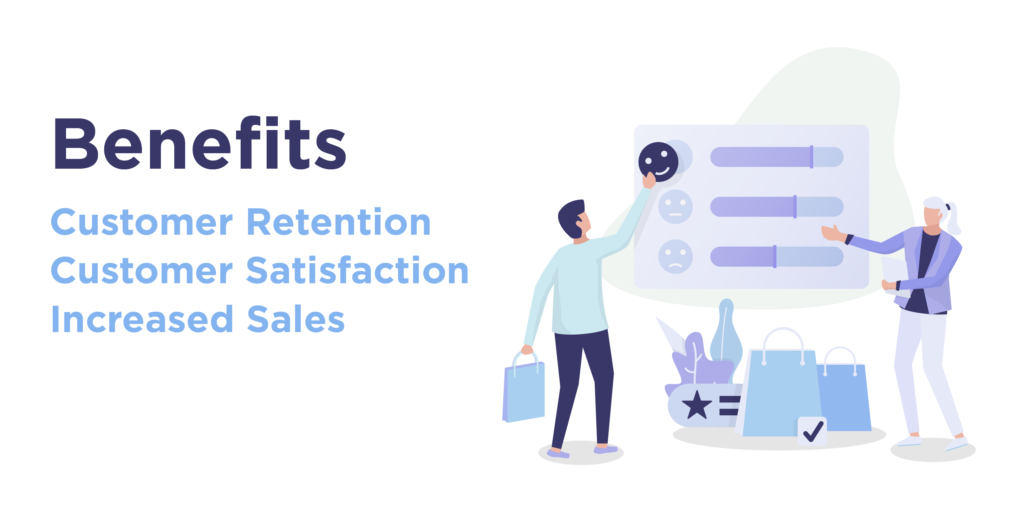
One of the advantages of implementing upsell on WooCommerce is the focus on customer retention. The Upsell technique enables you to retain existing customers rather than acquiring new ones. Through upsell, you have a more than 60% chance of selling to an existing customer.
II. Customer Satisfaction
Customer retention is improved when the customer is satisfied. When you recommend a better or higher version of their chosen products, customers feel happy and satisfied in knowing that you care about their shopping experience and product value.
III. Increased Sales
When your customers are satisfied, they will automatically be converted into loyal customers and keep coming back for more. Thus, by enabling upsell plugins on WooCommerce, you can easily increase sales and revenue on your site.
Attract customers with sales, discounts, and deals
by using the Best WooCommerce Dynamic Pricing Plugins
WooCommerce Upselling Techniques That Will Get You More Sales
With such amazing benefits associated with WooCommere upsell technique, it’s important that we do this correctly. Below we have mentioned some of the most important techniques you can carry out with the best WooCommerce upsell plugins to better your customers’shopping experience.
I. Location of Upsell Notifications
The location of the upsell notification will be the key turning point for your customer to make the decision. Thus they must be strategically placed throughout your website to ensure maximum success rate.
3 locations are considered perfect for suggesting upsell opportunities to your customers. First, you can place the upsell notification when the customer is browsing your site, based on the product they are browsing, you can offer upgraded suggestions and use this indecisiveness period to convince the customer to buy the higher value product.
You can also entice customers when they are viewing their carts or are on the checkout page. This is a great opportunity to entice customers to upgrade their chosen product or get add-ons that will increase the overall value. By placing the upsell notifications at these targeting points, you can offer a powerful incentive to your customers in their decision-making period.
II. Offer Upsell Bundles
The benefits of upselling techniques come from customer satisfaction and thus what customers are most satisfied with? Bundles! You can use the best WooCommerce upsell plugins and group similar or frequently bought together products in bundles. This is a great way to upsell and cross-sell higher value products on your site and increase the overall value of the order.
III. Use Email Marketing to Upsell Products
Email marketing is still one of the most effective marketing strategies out there. Why? Because it is subtler in its approach and only targets customers with personalized emails and offers to increase conversion rates. Similarly, you can implement WooCommerce upsell techniques on your email marketing campaigns by suggesting customers upsells, cross-sells, add-ons, recommendations, etc just after they have made a purchase. You can also offer them a discount or coupon to sweeten up the deal.
IV. Understand Customers’ Needs
It is also important to know what to suggest to which customer. A wrong suggestion or something way out of range for your customer would affect badly and have no increase in sales. Thus it’s crucial that you study your customers’ behavior, track their past purchases, and then offer upsells and recommendations based on it.
A wisely recommended product would not only increase the overall value of the order but also result in an improved shopping experience and customer satisfaction, which is better than increased sales in the long run.
Optimize your online store with the help of
the Best WooCommerce Plugins available
Wrap-Up
The WooCommerce upsell plugins enable you to improve the customer shopping experience by recommending them relevant products according to their purchase history. It also brings customer satisfaction when you recommend them a high-quality product instead of the one they had in their cart.
Upsells work when they’re relevant and effortless — one related offer beats a wall of suggestions, and post-purchase one-click offers convert best of all because the sale is already done. Start with frequently-bought-together, measure, then add checkout bumps. List re-verified August 2026.